
Handover File Indexing When Track Zones Were Built Out of Sequence
Quick project answer
Review focus: track zone.
Track zone out of sequence handover file indexing is the discipline of organising handover evidence by physical track zone and movement route rather than by the order in which work happened. On many sites the overhead route is built in segments, and those segments may be completed, inspected or documented in a sequence that differs from the drawing set. When that happens, a folder named after the installation programme stops matching the building. Reviewers then struggle to connect a drawing, a zone and a record.
This article sets out an evidence-bounded approach for contractors, architects, interior designers, owners and renovation teams. The suitability of each route and parking arrangement depends on the approved layout, circulation, ceiling interfaces and operating sequence. Instead, it explains how to keep the file honest about what is known, what is pending and what must be confirmed before handover.
Why Out-of-Sequence Track Zones Break Conventional Filing
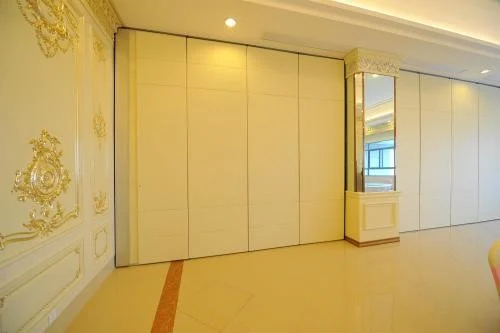
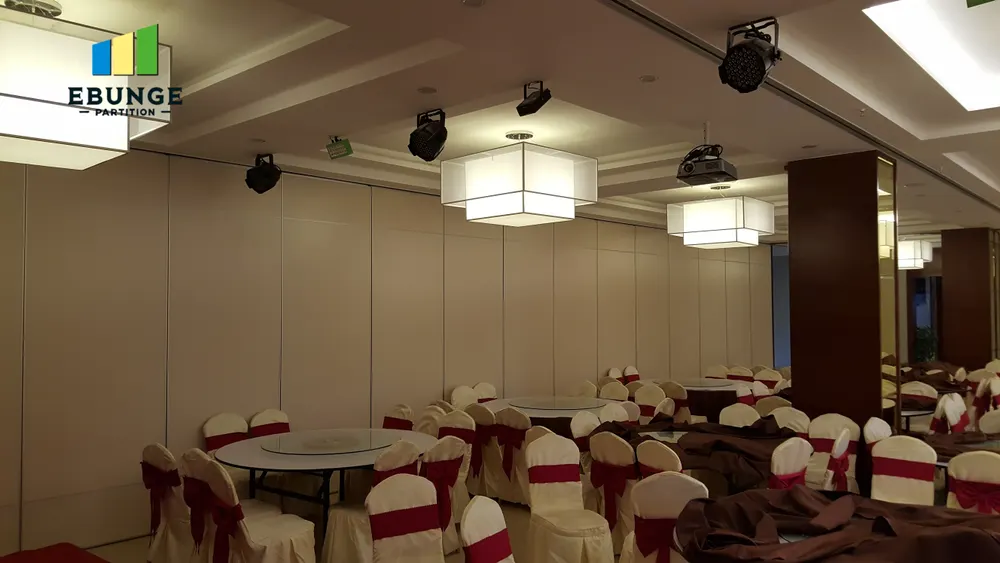
Most handover files inherit the logic of the construction programme: early packages first, later packages behind. That logic assumes each zone is a self-contained unit. Panels are individually movable, suspended from a top track, cross the opening without a floor track and park at a planned stacking position. The route therefore links zones.
If one track zone is built early and another later, a file sorted by date can separate two segments of the same continuous overhead route. A reviewer checking whether the route is connected may find one segment in a completed section and the other in an open-items section, with no cross-reference. The index, not the building, becomes the source of confusion.
What the file must be able to answer
Panel handling and the operating sequence must be confirmed for the selected layout and project conditions. If any of these cannot be answered from the index alone, the filing logic needs revision.
Index by Zone, Route and Evidence Status
The first part is the zone register: a stable identifier for each track zone, tied to the drawing reference. The second is the route register: the straight, turning and stacking routes reviewed from the layout, each linked to the zones it crosses. The third is the evidence register: what has been submitted, what has been reviewed and what remains open.
Keep identifiers short and permanent. Renaming a zone after the programme changes is one of the most common causes of broken cross-references. If a zone must be renamed, record the old and new identifiers in the same row.
Separate the physical zone from the drawing sheet
One drawing sheet may cover several zones, and one zone may appear on several sheets. Indexing by sheet alone hides this overlap. Index by zone first, then list the sheets that describe it. This makes it possible to see when a zone’s documentation is split across revisions.
A Numbered Process for Rebuilding the Index
- Freeze the zone list. Walk the layout and assign one identifier per track zone before touching existing files.
- Map routes to zones. For each straight, turning and stacking route, list the zones it crosses and note where segments meet.
- Tag every record. Apply the zone identifier and route reference to drawings, correspondence and review notes.
- Mark evidence status. Use plain states such as submitted, reviewed, open or superseded; avoid vague labels.
- Flag sequence gaps. Where a route crosses a zone built later, add a visible cross-reference rather than moving the record.
- Publish a read-me page. Explain the index logic so a reviewer who did not build the file can follow it.
Decision Checklist Before You Publish the File
- Does every track zone have one permanent identifier and one owner?
- Is every movement route linked to all zones it crosses, including segments built out of sequence?
- Are pass-door requirements recorded where the layout includes them?
- Are finish selections noted against the correct zone, using only confirmed options such as laminate, melamine, fabric, leather, glass or other approved surfaces?
- Is each record marked with an evidence status rather than an assumption?
- Are open items listed with the specific confirmation still required?
- Has the index been checked against the current drawing revision?
Evidence Note: What the File Should Not Claim
Evidence boundary. A handover index records what has been submitted and reviewed. Any acoustic, support or dimensional conclusion requires project-specific confirmation against the actual layout and approved documentation.
Where a reviewer needs performance information, point to the specific project document that addresses it. Do not let a tidy index imply that an open question has been answered.
Coordinating Handover Documentation Across Teams
Out-of-sequence zones usually involve several parties: the team that built the early segment, the team responsible for the later segment, the designer who reviewed the layout and the owner who will accept the file.
Agree a single submission route and a single naming convention. Where pass-door requirements or project documentation need discussion, raise them early rather than embedding them in a general note. Product context for the movable wall system is available on the movable walls product page, and general planning material is collected in the resources section.
Handling revisions without losing history
Keep it, mark it superseded and link to the replacement. This preserves the audit trail when a zone was documented before a layout change and again afterwards.
Common Indexing Mistakes and How to Avoid Them
| Mistake | Effect on review | Practical correction |
|---|---|---|
| Filing by installation date only | Route segments become separated | Add zone and route references to every record |
| Reusing a zone name after redesign | Cross-references point to the wrong place | Keep identifiers permanent and log any change |
| Treating a drawing as evidence of performance | Unsupported conclusions enter the file | State the evidence boundary and link to the relevant document |
| Leaving open items unlabelled | Reviewers assume completion | Use explicit status labels and a confirmation owner |
Frequently Asked Questions
What does track zone out of sequence handover file indexing mean in practice?
It means organising handover records by physical track zone and movement route, with a clear evidence status, instead of relying on the order in which zones were built. The index stays stable even when construction sequence changes.
Should the file follow the drawing sheet numbers or the physical zones?
Index by physical zone first, then list the drawing sheets that describe it. Sheets are revised and combined; zones remain the stable reference for reviewers walking the building.
How should routes that cross several zones be recorded?
Create a route entry that lists every zone the route crosses, including segments completed later. Straight, turning and stacking routes should each be reviewed from the layout and cross-referenced to the zone register.
Can the handover file confirm acoustic performance?
No. Visible references can support layout discussion but do not verify hidden construction or performance.
Where should pass-door requirements appear in the index?
Record them against the relevant zone and route, and note that they require discussion as part of project documentation. Do not assume a standard arrangement without confirming the layout.
What should happen when a zone is redesigned after documentation?
Keep the original record, mark it superseded and link it to the replacement. Update the zone register only if the physical zone itself changes, and log any identifier change.
Conclusion and Next Steps
A handover file built around zones, routes and evidence status remains usable when track zones are completed out of sequence. The goal is traceability, not tidiness for its own sake: a reviewer should be able to move from a route on the layout to the zones it crosses and the records that support them, without inferring performance the file cannot prove.
Before publishing, confirm project-specific support, acoustic and dimensional requirements with the responsible parties, and keep every open item visible. If your team needs to discuss pass-door requirements, documentation expectations or layout review for a movable wall scheme, contact EBUNGE to take the conversation forward.