
Quick answer: partition track servicing calendar
Review focus: partition track servicing calendar.
Partition track servicing calendar room booking planning is a coordination task, not a maintenance promise. It aligns when a movable wall system can be reviewed, cleaned or adjusted with the times a room is booked, so that flexible space stays usable. Because EBUNGE panels are individually movable and top-hung, the track and its support route are the fixed elements that deserve scheduled attention. This article sets out an evidence-bounded planning method for contractors, architects, interior designers, owners and facility teams. It does not replace project-specific drawings, support review or acoustic confirmation.
Start With the Booking Pattern, Not the Calendar
Project review term: partition track servicing calendar.
Before placing any servicing date, map how each room is actually used. A room booked for daily training has a different servicing window from a ballroom used twice a month. Record peak hours, changeover gaps, seasonal events and any periods when the space is closed. The goal is to find realistic low-impact windows rather than to assume a standard interval.
Use the booking pattern to group rooms by pressure level. High-pressure rooms need servicing windows that avoid same-day turnarounds. Lower-pressure rooms may offer more flexibility. This grouping is a planning aid only; it does not establish how often any track needs attention.
Information to collect before scheduling
- Room-by-room booking patterns and known blackout dates.
- The approved layout showing straight, turning and stacking routes.
- The planned parking or stacking position for each panel group.
- Points where the overhead route is continuous and supported.
- Names of the people who can approve access to each space.
- Any pass-door requirements that affect how the opening is used.
Review the Track Route Against the Layout
Coordination scope: partition track servicing calendar.
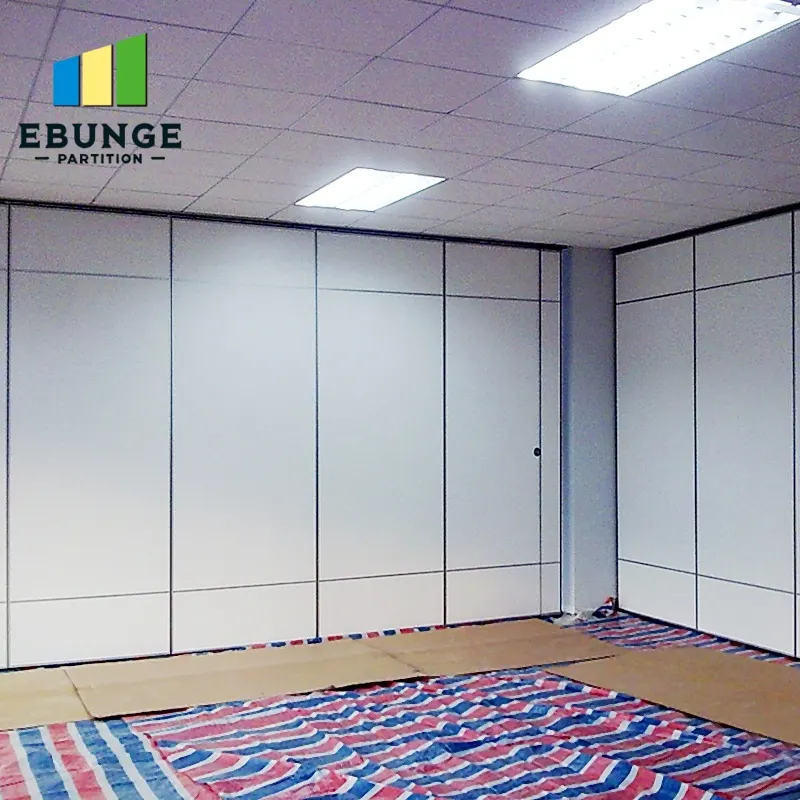
Servicing access depends on the route the panels follow. EBUNGE panels cross the opening without a floor track, so the visible floor stays clear, but the overhead route still needs review. Straight runs, turns and stacking routes should be checked against the approved layout before a calendar is issued.
The exact route, junction arrangement, continuous overhead path and parking position must be confirmed from the coordinated project drawings. Every proposed movement path requires a continuous connected overhead route and project-specific support review. If the layout changes, the servicing plan should be revisited, because access to the route may change with it.
What the drawings should show
Ask for drawings that identify the track route, the parking position and the relationship between the partition line and adjacent services. These drawings help the servicing team understand where access is possible and where it is restricted. They also give the project team a shared reference when booking windows are negotiated.
Build a Servicing Window Decision Checklist
Checklist focus: partition track servicing calendar.
A servicing calendar works only when each proposed window passes a simple test. Use the checklist below as a coordination tool, then confirm the final scope with the responsible project parties.
| Check | Question to answer | Evidence needed |
|---|---|---|
| Room availability | Is the room genuinely free for the whole window? | Booking system export or signed schedule |
| Route access | Can the full track route be reached safely? | Approved layout and access notes |
| Parking position | Is the stacking position clear and usable? | Layout detail and site confirmation |
| Support review | Has the overhead support been reviewed for this activity? | Project-specific structural confirmation |
| Acoustic continuity | Will the room still meet its intended acoustic brief after the work? | Project acoustic requirements |
| Approval | Who signs off the window and the scope? | Named approver and date |
Coordinate With Facility Operations Planning
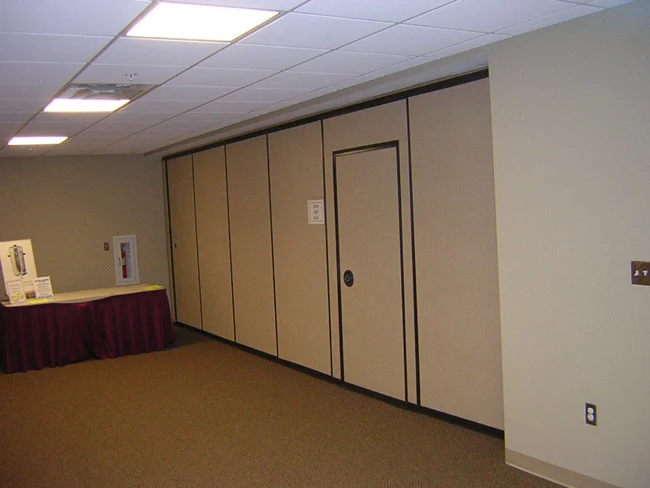
Facility Operations Planning coordination means the servicing calendar should sit alongside cleaning, events, security and other room-based routines. A window that clashes with an evening event may be unusable even if the booking system shows the room as free. Share the draft calendar with the operations team before it is published.
Where several rooms share a track route or a stacking area, sequence the work so that one room’s servicing does not block another room’s bookings. This is a scheduling decision, not a statement about how the system performs.
Roles to agree early
- Booking owner: confirms room availability and changeover gaps.
- Facility coordinator: aligns servicing with other room routines.
- Design or technical lead: confirms the approved layout and route.
- Approver: signs off the final window and scope.
Document Evidence Boundaries Before Publishing
The exact overhead route and support arrangement must be confirmed by the responsible project team from coordinated drawings. The suitability of each route and parking arrangement depends on the approved layout, circulation, ceiling interfaces and operating sequence.
Record what is confirmed and what remains open. Keeping that distinction visible protects the project team and the building owner.
Evidence note for the calendar file
This calendar records planned servicing windows only. Track support, acoustic performance, dimensional limits and maintenance scope must be confirmed against project-specific drawings and documentation before work proceeds.
Set a Review Rhythm for the Calendar
Bookings change, so the calendar should be reviewed at a fixed point before each busy period. A short review can catch clashes early and keep the servicing plan realistic. The review should confirm room availability, route access and the named approver for each window.
If a window is missed, do not automatically move it into a peak booking period. Reassess the next available low-impact slot and record why the change was made.
Frequently Asked Questions
What is partition track servicing calendar room booking planning?
It is the process of aligning track-related servicing windows with room bookings so that flexible spaces remain usable and access is realistic. It is a coordination activity, not a performance guarantee.
Do EBUNGE movable partitions need a floor track for servicing access?
No. EBUNGE panels are top-hung and move without a continuous floor running track or floor hardware along the partition line.
How often should a partition track be serviced?
There is no universal interval that can be stated without project evidence. Frequency depends on use, layout, access and the requirements confirmed for the specific installation.
Can servicing be planned around a single busy room?
Yes, but the plan should account for shared routes, stacking areas and adjacent bookings. A window that looks free in one room may still affect another space.
What information should be confirmed before publishing the calendar?
Confirm room availability, route access, parking position, support review, acoustic requirements and the named approver. Where evidence is missing, mark the item as open rather than assuming a result.
Where can project teams get help with planning?
Review the movable wall systems and the project resources, then contact the team to discuss pass-door requirements, layout review and project documentation.
Conclusion
A reliable partition track servicing calendar starts with the booking pattern, the approved layout and a clear evidence boundary. Review straight, turning and stacking routes, confirm support and acoustic requirements for the project, and publish only what the documentation supports. Finish options such as laminate, melamine, fabric, leather and glass can be discussed as surface choices, while performance and dimensional questions remain project-specific.
To move from a draft calendar to a coordinated plan, contact EBUNGE with your room bookings, layout drawings and pass-door requirements. The team can discuss project documentation and the information needed for a project-specific review.