
Quick project answer
Review focus: digital asset register.
A movable partition wall digital asset register is the controlled index that tells a facility team what was handed over, where each record sits, and which document governs which part of the installation. The suitability of each route and parking arrangement depends on the approved layout, circulation, ceiling interfaces and operating sequence. This framework sets out how to structure, name, and review handover documentation without relying on informal file trees or personal memory.
The scope here is deliberately bounded. It covers document organization, naming logic, and retrieval. It does not replace project-specific confirmation of support conditions, acoustic requirements, dimensional coordination, or finish suitability. Those items must be confirmed against the coordinated drawings and the project’s own evidence for each opening, route, and stacking position.
Why a Digital Asset Register Beats a Shared Folder
Project review term: digital asset register.
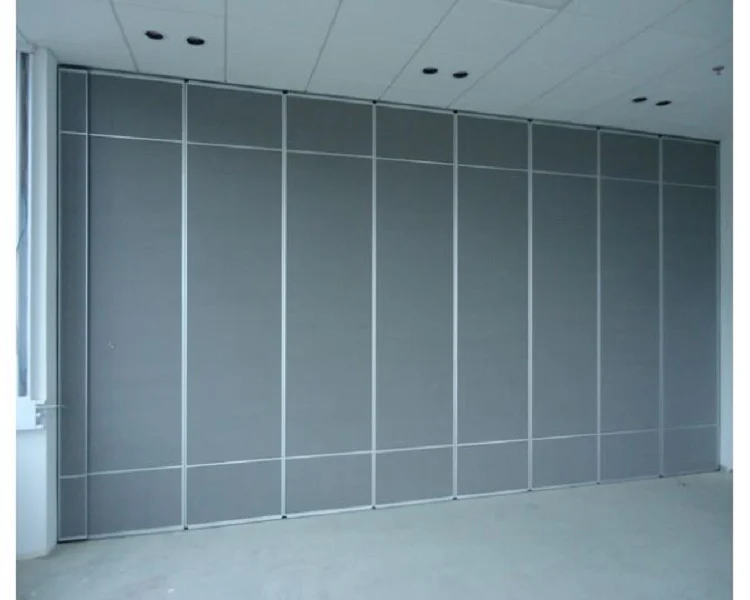
A shared folder answers the question “where is the file?” A register answers “what do we hold, what does it cover, and is it current?” For movable partitions, the second question is harder because the system is not a single static element. Panels are individually movable, suspended from a top track, cross the opening without a floor track, and park at a planned stacking position. Each of those characteristics generates its own documentation need.
When records are scattered across email threads and site folders, the facility team inherits a system it cannot fully explain. A register gives every document a stable identity, an owner, a revision state, and a link to the drawing or room it describes.
Core Register Fields for Movable Partition Handover
Coordination scope: digital asset register.
Keep the field list short enough that it is actually maintained. A workable minimum set includes: asset identifier, building and level, room or opening reference, document type, document title, revision, issue date, source party, file location, and review status. Add a free-text notes field for coordination remarks, but do not let it become the only place where a decision is recorded.
Two fields deserve special attention. First, the opening reference should match the coordinated layout so a reader can move from a drawing to the register without translation. Second, the review status should distinguish between issued, reviewed, and superseded. Without that distinction, old revisions quietly become the working copy.
Linking Records to Layout Routes
Straight, turning, and stacking routes are reviewed from the layout. The register should therefore hold a route reference for each opening, not just a room name. If a route changes during coordination, the affected documents should be flagged for reissue rather than silently updated.
A Document Naming Convention That Survives Handover
Checklist focus: digital asset register.
Naming conventions fail when they are too clever. A reliable pattern is: project code, building or zone, level, room or opening reference, document type, revision, and date. Use hyphens or underscores consistently, avoid spaces, and keep the order stable so files sort predictably.
For example, a register entry might read: PRJ01-ZONE-A-L03-RM305-OM-REV02-20260926. The value is not the string itself but the fact that every party can decode it without a key. Publish the convention alongside the register so new team members can follow it.
Document Types Worth Separating
At minimum, separate as-built drawings, operation and maintenance references, finish schedules, training materials, and correspondence that records a decision. Finish schedules are particularly useful because confirmed finish options include laminate, melamine, fabric, leather, glass, and other approved surfaces. The register should point to the approved schedule rather than restating finish claims in free text.
Evidence Boundaries in Handover Documentation
Review focus: digital asset register.
Handover packs often drift into claims the documents cannot support. Visible references can support layout discussion but do not verify hidden construction or performance. A route diagram shows intended movement, not support adequacy.
Evidence note: the register should record what a document is and what it covers. It should not convert a visible shape, finish, or drawing into a performance conclusion. Acoustic descriptors such as STC or Rw are rating concepts, not a simple count of decibels, and any project-specific value requires matching evidence.
Where a requirement is project-specific, the register should point to the confirmation rather than assert the outcome.
Step-by-Step Register Build for Overseas Teams

- Agree the register fields and naming convention before the first handover draft is circulated.
- Map every opening to its coordinated layout reference, including straight, turning, and stacking routes.
- Collect as-built drawings, O&M references, finish schedules, and training materials into the agreed structure.
- Assign a revision and review status to each record, and mark superseded files clearly.
- Confirm pass-door requirements and any project documentation expectations with the relevant parties.
- Publish the register with the convention and a short guide to reading it.
- Review the register at handover and again after any layout change.
Checklist Before You Call the Handover Complete
- Every opening in the coordinated layout has a register entry.
- Route references cover straight, turning, and stacking conditions.
- Finish records point to an approved schedule rather than informal notes.
- Revision and review status are populated for every document.
- Superseded files are marked and separated from current records.
- Training materials are indexed by the audience they serve.
- Open questions about support, acoustics, or dimensions are logged, not assumed.
Common Failure Modes and How to Avoid Them
The most common failure is a register that exists but is not maintained after handover. Assign a named owner and a review rhythm. The second is inconsistent naming, which makes search unreliable. The third is mixing decision correspondence with controlled documents, so a casual email becomes the de facto specification.
A fourth failure is treating the register as a performance summary. It is an index. Where a reader needs a project-specific answer, the register should route them to the document or confirmation that holds it.
Frequently Asked Questions

What is a movable partition wall digital asset register?
It is a controlled index of the documents handed over for a movable partition installation, including as-built records, operation and maintenance references, finish schedules, and training materials, each with a stable identifier and review status.
How should handover documents be named?
Use a stable pattern such as project code, zone, level, room or opening reference, document type, revision, and date. Keep the order consistent and publish the convention with the register.
Does the register need to record acoustic performance?
It should record where acoustic documentation sits and what it covers.
How are straight, turning, and stacking routes documented?
Each opening should carry a route reference that matches the coordinated layout. Route changes should trigger a review of the affected records rather than a silent update.
Can pass-door requirements be included in handover?
Pass-door requirements and project documentation can be discussed with the project team. The register should point to the agreed record rather than assume a configuration.
Who should own the register after handover?
A named facility or operations owner is practical, supported by a review rhythm and a clear process for adding or superseding records.
Conclusion and Next Steps
A movable partition wall digital asset register is a small piece of discipline that protects a large investment in flexible space. By fixing the field set, the naming convention, and the review status, overseas teams give facility staff a system they can actually use. Keep every entry tied to the coordinated layout, and keep performance questions routed to project-specific confirmation.
To discuss handover documentation, pass-door requirements, or project-specific coordination for your movable partition layout, contact the EBUNGE team. The exact overhead route and support arrangement must be confirmed by the responsible project team from coordinated drawings.