
Quick answer: movable partition wall
Review focus: movable partition wall.
Handover rarely fails because a partition system was installed incorrectly. The suitability of each route and parking arrangement depends on the approved layout, circulation, ceiling interfaces and operating sequence. For overseas teams, the movable partition wall closeout record transmittal acknowledgment deadline escalation process is the control loop that keeps document handover from stalling at the finish line. This framework helps contractors, architects, owners and distributors track what was sent, to whom, by when, and what happens when no one confirms receipt.
Why Closeout Records Stall Before Facility Acceptance
Project review term: movable partition wall.
Movable partition projects involve multiple reviewers: the main contractor, the architect, the owner’s representative, the facility manager and sometimes a distributor. Each may need different documents. When transmittals are sent without a named recipient, a due date and a defined response, records sit unread. The installation may be complete while the paperwork remains open.
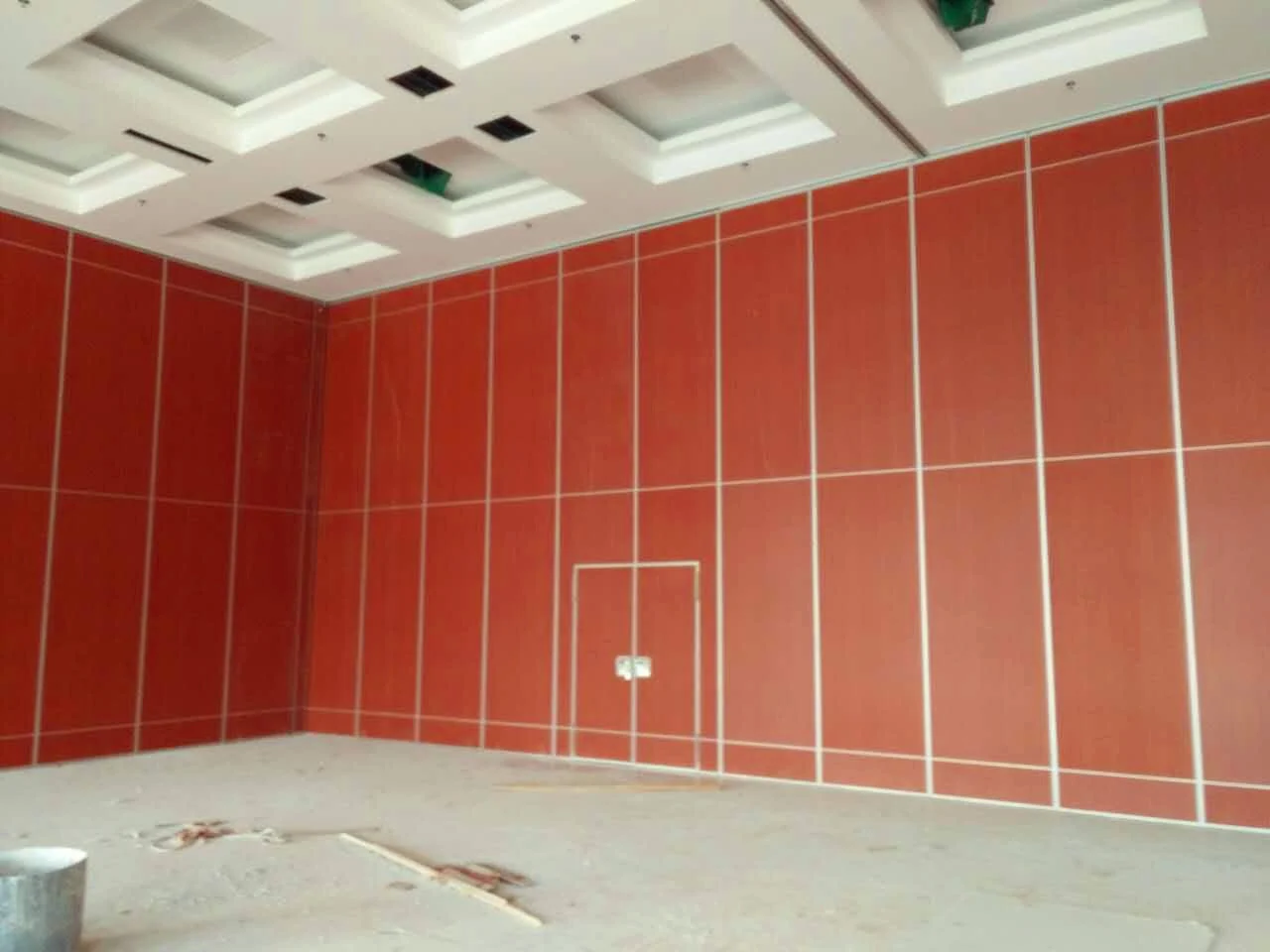
This is a coordination problem, not a product problem. The panels are top-hung and move without a continuous floor running track or floor hardware along the partition line. That clear-floor operation is a maintained product fact. It does not tell you who must sign off on the handover file. Only the project team can define that.
Build the Transmittal Log Before Installation Finishes
Coordination scope: movable partition wall.
Start the log as soon as the partition layout is coordinated. Waiting until the final week compresses every acknowledgment deadline into a few days. A simple spreadsheet or shared register is enough. The log should identify each record, its recipient, the date sent, the acknowledgment due date and the escalation owner.
Core columns for a working log
- Record ID and title — a unique reference for each transmittal.
- Recipient name and role — a person, not a department.
- Date sent and method — email, shared drive or formal transmittal.
- Acknowledgment due date — agreed with the recipient in advance.
- Status — sent, acknowledged, queried or escalated.
- Escalation owner — the person who acts if the deadline passes.
Set Per-Recipient Acknowledgment Deadlines
Checklist focus: movable partition wall.
A single deadline for all recipients rarely works. The architect may need time to compare drawings. The owner’s representative may need internal sign-off. The facility manager may need a walkthrough before confirming. Set deadlines per recipient based on their actual review role, not on a generic calendar.

Document the agreed deadline in the transmittal itself. If a recipient cannot meet it, they should return a query or a revised date before the deadline passes. That keeps the log honest and prevents silent delays.
Deadline-setting questions
- Who must review this record before facility acceptance?
- What does that reviewer need to see to confirm receipt?
- How many working days are realistic for that review?
- Who is the backup if the named recipient is unavailable?
- What is the escalation trigger if no response arrives?
Define Escalation Triggers That Fit the Project
Review focus: movable partition wall.
An escalation trigger is a pre-agreed action when an acknowledgment deadline passes. It should be proportionate. A first reminder to the recipient is normal. A second step may involve the recipient’s manager or the project coordinator. A third step may pause the relevant acceptance milestone until the record is confirmed.
Do not invent escalation consequences that the contract does not support. The trigger should reference the project’s own communication and acceptance procedures. Where those procedures are unclear, confirm them with the project team before finalizing the log.
Example escalation ladder
| Stage | Trigger | Action |
|---|---|---|
| 1 | Deadline passes by one working day | Send a reminder to the named recipient |
| 2 | Deadline passes by three working days | Notify the recipient’s manager and the project coordinator |
| 3 | Deadline passes by five working days | Escalate to the acceptance authority and record the open item |

Adjust these intervals to the project’s own schedule. The table is a planning example, not a contractual requirement.
What Belongs in the Closeout Record Set
The exact record set depends on the project. Typical items may include approved layout drawings, finish confirmations, pass-door requirements and maintenance information. EBUNGE can discuss pass-door requirements and project documentation with the project team. The specific contents of the closeout file should be confirmed against the contract and the owner’s requirements.
Finish options include laminate, melamine, fabric, leather, glass and other approved surfaces. Those matters require separate project-specific confirmation.
Evidence note
Do not treat a drawing, finish sample or photograph as proof of acoustic, fire, durability or load performance. Confirm project-specific support, acoustic and dimensional requirements with the responsible parties before relying on any record.
Coordinate Across Overseas Time Zones
Overseas projects add a time-zone layer to every deadline. A recipient in another region may receive a transmittal at the end of their working day. Build that into the due date. Use a shared log with timestamps so all parties see the same status.
Where language differs, keep record titles simple and consistent. A short glossary of project terms can reduce queries.
Review the Log Before Facility Acceptance
Hold a short review before the acceptance milestone. Check every open transmittal. Confirm that acknowledged records are complete and that escalated items have an owner and a next action. This review is a coordination step, not a performance test.
For product context, see the movable wall product page. For broader planning guidance, visit the resources section. To discuss project documentation, use the contact page.
Frequently Asked Questions
What is a closeout record transmittal log?
It is a register that tracks each closeout record sent to a recipient, the date sent, the acknowledgment due date and the escalation status. It helps project teams confirm that records reached the right reviewers before facility acceptance.
Who should be named as a recipient?
Name a person with a defined review role, such as the architect, owner’s representative or facility manager. A department name is not enough because no one owns the acknowledgment.
How long should an acknowledgment deadline be?
The deadline should reflect the recipient’s actual review task. Confirm it with the recipient before sending the record. A generic deadline may be too short for some reviewers and unnecessarily long for others.
What happens if a recipient does not acknowledge?
Follow the project’s agreed escalation ladder. A first reminder, a manager notification and an acceptance-authority escalation are common steps. The exact actions must match the project’s communication and acceptance procedures.
Does the partition system affect the closeout process?
The system type affects the technical records, but the transmittal process is a coordination matter. Confirm project-specific support, acoustic and dimensional requirements with the responsible parties.
Can EBUNGE provide project documentation?
EBUNGE can discuss pass-door requirements and project documentation with the project team. The final record set should be confirmed against the contract and the owner’s requirements.
Conclusion: Close the Loop Before You Close the Project
A transmittal log with per-recipient deadlines and clear escalation triggers turns handover from a last-minute scramble into a managed process. It does not replace project-specific engineering, acoustic or dimensional confirmation. It simply makes sure the right people confirm the right records at the right time.
To discuss your movable partition wall project and its documentation needs, contact EBUNGE.