
Quick project answer
Review focus: tender query audit trail.
A movable partition tender query audit trail is the controlled record of every question raised, every answer issued, and every drawing or specification revision that follows. For overseas contractors, architects, interior designers, owners, renovation companies, distributors and construction teams, the audit trail is not administrative decoration. It is the mechanism that keeps a movable partition package aligned with the layout, the opening, the parking position and the project documentation. This guide sets out a practical framework, with clear evidence boundaries, so that tender queries remain traceable and project-specific confirmation stays visible.
Why a Tender Query Audit Trail Matters for Movable Partition Packages
Project review term: tender query audit trail.
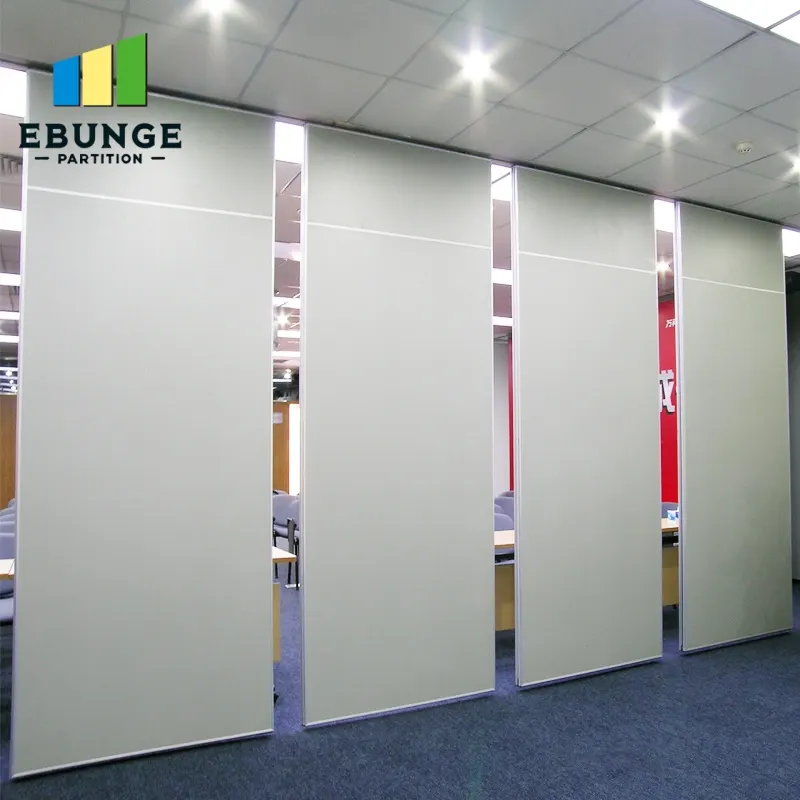
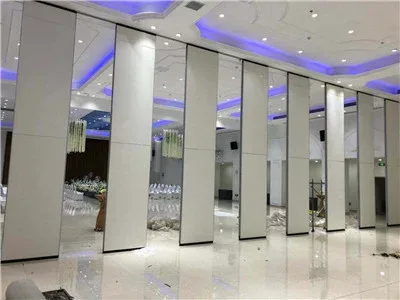
Movable wall panels are individually movable, suspended from a top track, cross the opening without a floor track, and park at a planned stacking position. That simple description hides a large number of coordination questions. Straight, turning and stacking routes must be reviewed from the layout. Pass-door requirements and project documentation can be discussed. Finish options include laminate, melamine, fabric, leather, glass and other approved surfaces. Each of these items can generate a tender query, and each answer can change what the project team assumes.
Without an audit trail, answers drift. The suitability of each route and parking arrangement depends on the approved layout, circulation, ceiling interfaces and operating sequence. A finish substitution may be agreed in one email thread and contradicted in another. The audit trail prevents that drift by giving every query a reference, an owner, a status and a linked response.
What the Audit Trail Should Capture
Coordination scope: tender query audit trail.
The audit trail should capture the query itself, the date it was raised, the party raising it, the project location or drawing reference, the response, the responder, and the status. It should also record whether the response changes the specification, the layout, or the documentation set. This is not about creating bureaucracy. It is about making sure that a later reader can reconstruct why a decision was made.
Query categories to log separately
Panel handling and the operating sequence must be confirmed for the selected layout and project conditions. Typical categories include layout and route queries, finish and surface queries, pass-door and access queries, documentation and drawing queries, and interface queries with other trades.
Evidence boundaries for each response
Every response should state its evidence boundary. The exact route, junction arrangement, continuous overhead path and parking position must be confirmed from the coordinated project drawings.
A Step-by-Step Process for Running the Audit Trail
Checklist focus: tender query audit trail.
- Open a query register before the first clarification. Assign a unique reference to every query and record the project, package and drawing reference.
- Classify each query by topic. Use consistent categories so that layout, finish, access and documentation items can be reviewed together.
- Route the query to the responsible responder. Record who is expected to answer and by when, without promising a response time that has not been agreed.
- Log the response with its evidence boundary. State what is confirmed, what requires project-specific confirmation, and what remains open.
- Link the response to affected documents. Note whether the specification, layout drawing or finish schedule needs revision.
- Close the query only when the linked documents are updated. A response without a document update is not a closed loop.
- Review the register at each tender milestone. Check for open items, contradictory answers and queries that have changed scope.
Coordinating the Audit Trail Across Project Teams
Review focus: tender query audit trail.
The owner does not need to answer every query. The owner needs to ensure that every query has a reference, a responder and a status. Architects and interior designers can use the register to confirm that finish selections and layout routes remain consistent. Contractors can use it to check that interface queries are visible to all relevant trades. Owners and renovation teams can use it to see which items still require a decision.
Distributors and construction teams should be able to read the register without needing a separate explanation. That means avoiding abbreviations that only one party understands, and avoiding answers that refer to a previous conversation without quoting the relevant point.
Common Pitfalls and How to Avoid Them
One common pitfall is treating the audit trail as a record of answers only. Another pitfall is allowing a response to imply performance that has not been confirmed.
A third pitfall is failing to connect the audit trail to the layout review. Because straight, turning and stacking routes are reviewed from the layout, any query that touches those routes should be linked to the relevant drawing. If a route changes, the audit trail should show which queries are affected.

Decision Checklist for Tender Query Review
- Does every query have a unique reference and a named owner?
- Is the query classified by topic and linked to a drawing or specification section?
- Does the response state what is confirmed and what requires project-specific confirmation?
- Are acoustic concepts explained without reducing STC or Rw to a direct count of decibels?
- Is the parking position and route reviewed against the layout?
- Are pass-door requirements and documentation impacts recorded?
- Have affected documents been updated before the query is closed?
- Is the register reviewed at each tender milestone?
Evidence Notes and Documentation Boundaries
Confirm project-specific support, acoustic and dimensional requirements before relying on any tender response. A generic finish or application example is not evidence of cleaning compatibility, structural capacity, acoustic performance or a application reference.
Documentation boundaries should be written into the audit trail itself. If a response depends on a drawing revision, record the revision number. If a response depends on a site measurement, record who is responsible for providing it. If a response cannot be given without further project information, record that as an open item rather than filling the gap with an assumption.
For product context, refer to the movable walls product page and the resources section. These pages provide maintained public context, but they do not replace project-specific review.
Frequently Asked Questions
What is a movable partition tender query audit trail?
It is a controlled record of every tender query, response, and linked document change for a movable partition package. It helps project teams trace why a decision was made and what still requires confirmation.
Who should own the audit trail?
One person should own the register, usually within the procurement or tender review team. Others contribute queries and responses through that register so that references and statuses remain consistent.
How should acoustic queries be handled?
Project-specific acoustic requirements should be confirmed separately.
What should happen when a query changes the layout?
The response should be linked to the affected layout drawing, and any related route or stacking queries should be reviewed again. The query should not be closed until the drawing set reflects the change.
Can the audit trail include finish options?
Yes. Finish options such as laminate, melamine, fabric, leather, glass and other approved surfaces can be logged as queries.
How often should the register be reviewed?
Review the register at each tender milestone and before any specification or drawing issue. Regular review helps catch open items and contradictory answers early.
Conclusion and Next Steps
A movable partition tender query audit trail keeps procurement decisions visible, traceable and bounded by evidence. Start with a single register, classify queries consistently, and link every response to the documents it affects. Confirm project-specific support, acoustic and dimensional requirements before relying on any answer. When the trail is maintained, the project team can see not only what was decided, but also what still needs confirmation.
To discuss pass-door requirements, project documentation or layout review for your movable partition package, contact the EBUNGE team.