
Quick answer: movable partition changeover task duration baseline register
Review focus: movable partition changeover task duration baseline register.
Room turnaround estimates often fail because they are built from assumed timings rather than observed work. A movable partition changeover task duration baseline register solves that by recording what actually happens during each changeover, task by task, so future schedules reflect real crew performance. This guide is for overseas contractors, architects, interior designers, owners, renovation companies, distributors and construction teams who plan flexible rooms and need a defensible planning record rather than a guess.
Why a Task-Level Register Beats a Single Turnaround Number
Project review term: movable partition changeover task duration baseline register.
A single number such as “the room takes twenty minutes to change over” hides the work inside it. It does not show whether the delay came from moving panels, aligning a pass door, checking the stacking position or waiting for the previous event to clear. A task-level register separates those steps so planners can see where time is genuinely spent.
This matters because movable partition panels are individually movable, suspended from a top track, cross the opening without a floor track and park at a planned stacking position. Each of those characteristics creates distinct tasks that can be observed and recorded separately. The register does not predict performance; it documents what a specific crew, in a specific room, with a specific layout, actually did.
What the Register Should Record
Coordination scope: movable partition changeover task duration baseline register.
Keep the register simple enough that a supervisor can complete it during or immediately after a changeover. The goal is a consistent record, not a detailed engineering study.
Core fields for each observed changeover
- Date, room name and changeover direction, such as open-to-divided or divided-to-open.
- Number of panels moved and the planned stacking position used.
- Whether the route followed the straight, turning or stacking path shown on the reviewed layout.
- Task start and finish times, recorded as separate entries rather than one total.
- Any interruption, such as furniture clearance, AV reset or access delay.
- Whether a pass door was used and whether its operation formed part of the changeover.
- Notes on anything that differed from the reviewed layout or the planned sequence.
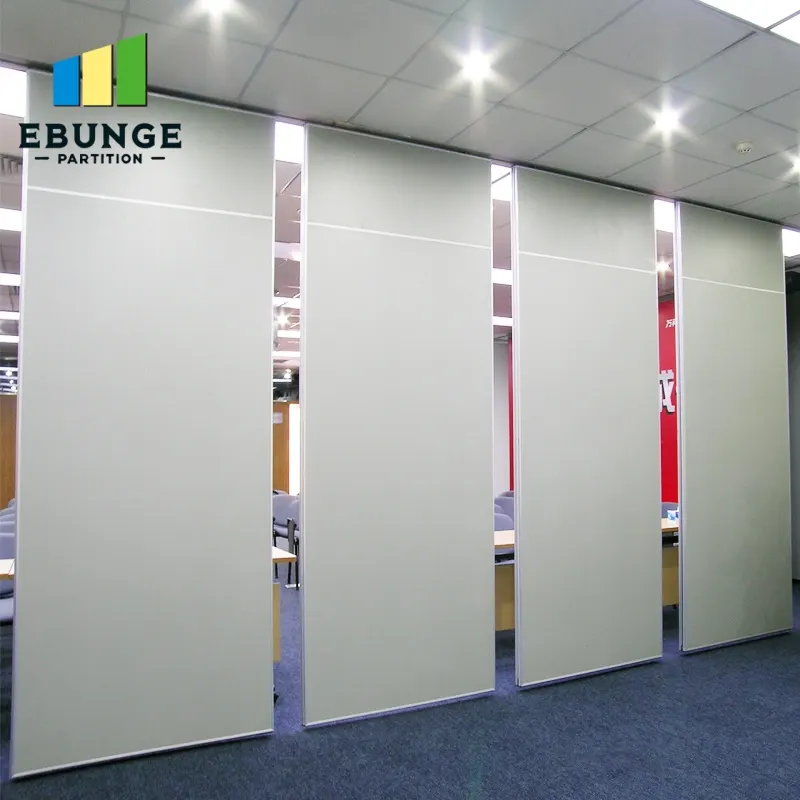
The suitability of each route and parking arrangement depends on the approved layout, circulation, ceiling interfaces and operating sequence. Those belong to separate project documentation and require their own evidence.
Building the Baseline in Five Steps
Checklist focus: movable partition changeover task duration baseline register.
The register becomes useful only after enough observations exist to show a pattern. Treat the first entries as calibration, not as a published standard.
- Define the task list for the room using the reviewed layout, including straight, turning and stacking routes.
- Observe changeovers during normal operation and record each task separately.
- Group observations by room, direction and crew so unlike conditions are not averaged together.
- Review outliers with the crew to understand whether the cause was layout, sequence, access or an unusual event.
- Publish a working baseline range for planning, and label it as observed rather than guaranteed.
Where the layout shows a turning route or a compact stacking arrangement, record those tasks explicitly. A route that looks simple on a drawing may involve more handling steps in practice, and the register is the place to capture that difference without turning it into a performance claim.
Calibrating Estimates Against Observed Crew Performance
Once a baseline exists, compare it with the turnaround times already used in booking systems, event schedules and cleaning rotas. Where the estimate and the observation diverge, adjust the estimate or investigate the cause. Do not adjust the observation to match the estimate.
Questions to ask when estimates and observations disagree
- Was the changeover performed by the crew the estimate assumed?
- Did the room layout match the drawing used for planning?
- Was the stacking position clear and accessible at the start of the task?
- Did the changeover include tasks that the estimate omitted, such as pass-door handling?
- Was the observation taken during a typical period or an unusual one?
This comparison is a planning exercise. Those questions require project-specific confirmation through the appropriate documentation.
Evidence Boundaries for the Register
Record only what was observed. Do not infer hidden performance, engineering outcomes or commercial results from a visible finish, a photograph or a drawing.
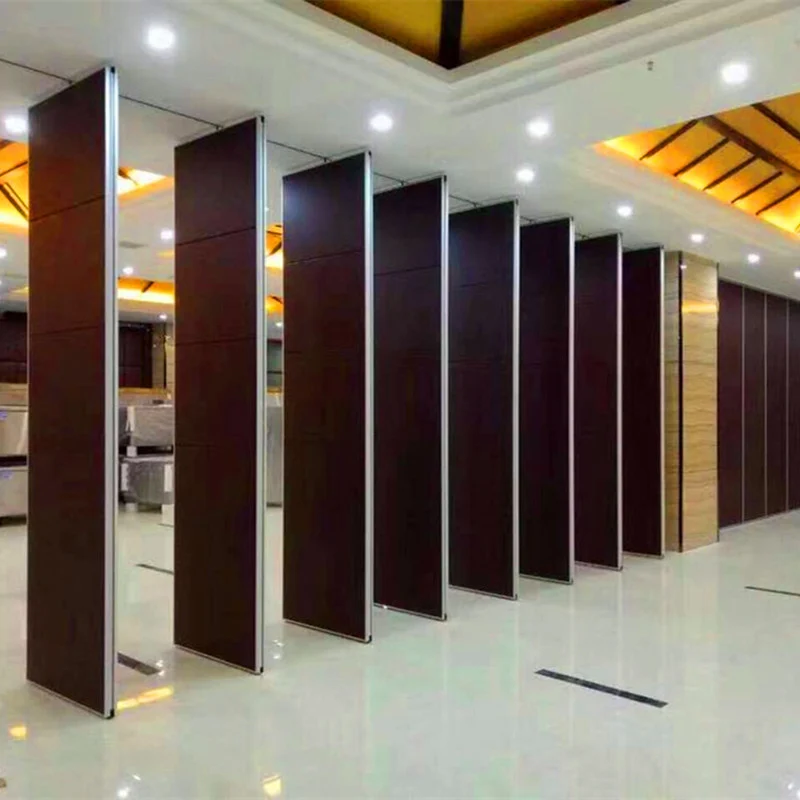
Similarly, a top-hung system with no floor track along the partition line still requires a continuous connected overhead route and project-specific support review. The register should note the route used, not assume that any path is available.
Confirm project-specific acoustic, support and dimensional requirements with the relevant documentation before relying on any figure.
Using the Register in Facility Operations Planning
The register supports coordination between operations, events, cleaning and maintenance teams. It gives them a shared, observed reference for how long a changeover takes in a given room, which helps with sequencing and staffing discussions without promising a fixed outcome.
It also supports specification review. The exact route, junction arrangement, continuous overhead path and parking position must be confirmed from the coordinated project drawings. For product context, see the movable walls range, and for broader planning material, review the resources library.
Common Pitfalls to Avoid
- Averaging observations from different rooms, crews or directions into one figure.
- Recording only the total changeover time and losing the task detail.
- Treating the first observation as a permanent standard.
- Ignoring pass-door requirements, which should be discussed as part of the project documentation.
Frequently Asked Questions
What is a movable partition changeover task duration baseline register?
It is a structured record of observed changeover tasks, room by room, used to calibrate planning estimates against actual crew performance. It documents what happened rather than predicting what should happen.
How many observations are needed before the baseline is reliable?
There is no universal number. Reliability depends on the room, the crew, the layout and how consistent the changeover sequence is. Planners should treat early entries as calibration and confirm project-specific requirements before publishing a planning range.
Does the register need to include acoustic measurements?
No.
Can the register be used for rooms with turning or stacking routes?
Yes, but the routes should be recorded explicitly. Straight, turning and stacking routes are reviewed from the layout, and each may involve different handling tasks. Confirm the reviewed layout before relying on any baseline for a new configuration.
What should be done when a changeover takes much longer than expected?
Record the cause, such as access delay, furniture clearance or an unusual event, and review it with the crew. Do not adjust the observation to match the estimate. Use the finding to refine the planning range or to investigate the layout and sequence.
Does the register replace project-specific documentation?
No. It is a planning tool.
Conclusion and Next Steps
A movable partition changeover task duration baseline register turns vague turnaround assumptions into an observed, task-level record. Start with a defined task list, observe real changeovers, group like conditions and publish a working range that is clearly labelled as observed. Keep the register free of unsupported performance, engineering or commercial conclusions, and confirm project-specific support, acoustic and dimensional requirements before relying on it for scheduling.
To discuss pass-door requirements, project documentation or layout review for your rooms, contact the EBUNGE team.